


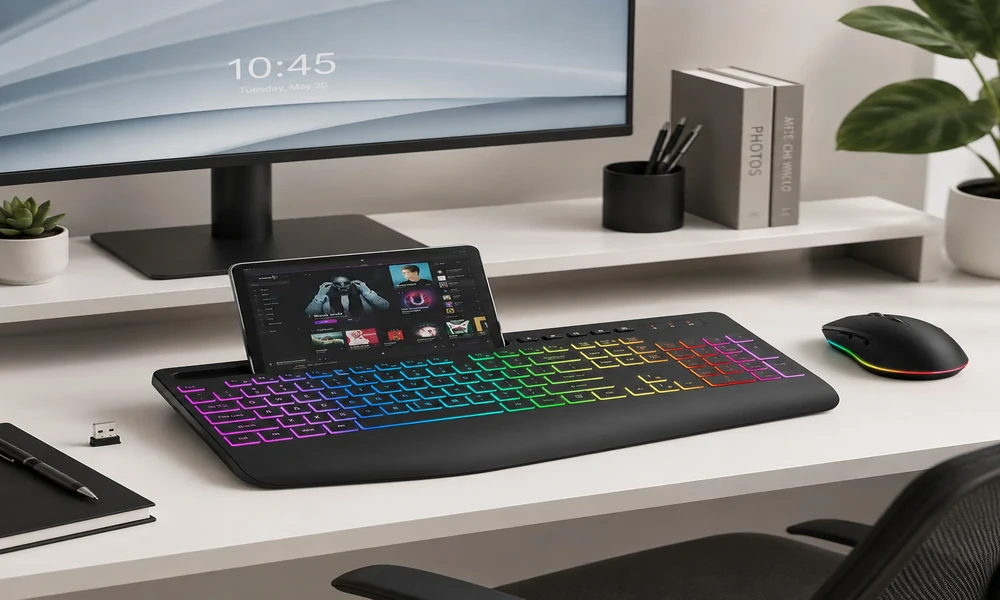
Wireless peripherals can make a desk cleaner, but they also introduce questions about receivers, battery life, charging, and what happens when power runs low. The SABLUTE Wireless Mechanical Keyboard and Mouse Combo addresses those concerns with a fairly straightforward connection model. One 2.4GHz USB receiver connects both the keyboard and the matching mouse, while the keyboard can also operate through USB-C and remain usable while charging. That makes the set particularly relevant to a fixed desktop or laptop workstation where one USB port can be dedicated to the receiver. The keyboard adds a full 104-key layout, mechanical red switches, round retro keycaps, onboard backlighting, a multifunction knob, and a 5000mAh battery. This review focuses on how the wireless and wired modes fit into day-to-day use, while also making clear the main limitation: Bluetooth is not supported.
A wireless desktop that still feels like a conventional workstation
The first thing that defines the SABLUTE combo is its visual direction. The keyboard uses retro-inspired round keycaps with decorative electroplated rings, giving the board a typewriter-style identity without abandoning the practical shape of a modern desktop keyboard. A metal top panel adds structure to the design, while the overall presentation is clearly aimed at users who care about how a workspace looks as well as how it functions. That makes the product especially easy to imagine in a home office, study desk, creative workspace, or coordinated desktop setup. Importantly, the design is not purely decorative. Under the round keycaps is a full-size 104-key layout, so the keyboard keeps the number pad, function row, arrows, and navigation cluster that many people still rely on during everyday work. The result is a modern-retro look that tries to add personality without asking the user to give up the familiar full-size format.
Mechanical typing remains the core experience regardless of connection
The keyboard uses linear red mechanical switches, and that choice tells you a lot about the intended audience. Red switches are described here as smooth and relatively light, with no tactile bump during the keypress. For general productivity, that creates a straightforward mechanical feel that does not demand much adjustment from a newcomer. The product brief rates the switches for around 50 million keystrokes and recommends them for typing, studying, writing, office work, and normal computer use. Just as important is what SABLUTE is not claiming. There is no hot-swappable switch system, gasket mount, magnetic switch technology, Rapid Trigger, or adjustable actuation. This is not supposed to compete with specialist gaming or custom mechanical boards. Its purpose is to offer the feel and sound character of standard linear mechanical switches in a mainstream, visually distinctive full-size keyboard.
The full-size layout makes this more than a cable-management exercise
A major strength of the keyboard is simply that it does not ask productivity users to compromise on layout. The board has 104 keys, including a dedicated numpad, the entire function row, arrow keys, navigation keys, multimedia controls, and a calculator shortcut. Those details sound ordinary until you compare them with smaller keyboards that hide functions behind secondary key layers. For spreadsheet work, repeated numeric entry, document editing, or general office use, direct access can be more efficient. The layout also helps first-time mechanical keyboard buyers because there is very little relearning involved; the keys are arranged in a familiar full-size format. SABLUTE then adds its round keycaps, backlighting, and control knob around that established layout rather than changing the fundamentals. The result is a board that looks unusual but operates in a conventional way. In that sense, it behaves like a full size mechanical keyboard first and a wireless convenience product second.
One 2.4GHz receiver, plus USB-C when wireless is not the answer
SABLUTE’s connection design is easy to explain because it avoids a long list of modes. The keyboard and mouse communicate through one shared 2.4GHz USB receiver, and the keyboard itself can also run in USB-C wired mode. A single 2.4GHz USB receiver connects both the keyboard and mouse from up to 26 ft (8 m) under suitable conditions. In wired use, the keyboard can remain operational while charging. That gives the user two practical ways to keep working without managing separate receivers for the two devices. The important caveat is that Bluetooth is not part of the specification. This is not a Bluetooth keyboard and not a tri-mode keyboard. Anyone whose workflow depends on quickly pairing the same board with several Bluetooth devices should take that limitation seriously. For one primary computer, however, the single-receiver setup is clean and direct.
Lighting controls stay local instead of depending on an app
Backlighting broadens the keyboard’s appeal beyond the vintage-inspired styling. The board supports 17 lighting modes and seven selectable colors, plus additional RGB effects, for up to 108 combinations. Those settings can be adjusted from the keyboard, and the lighting can be disabled when not wanted. SABLUTE also specifies that settings are retained, which is a small but useful everyday detail. At the same time, buyers should keep the feature in perspective: this is not an individually addressable, software-programmable RGB keyboard. The lighting is designed around preset onboard effects and color choices. That is likely enough for users who simply want the desk to feel more personalized or need illuminated keys in a dim room, without adding another software utility to the computer.
The knob is especially useful when the desk is kept uncluttered
The multifunction control knob is a small feature with practical value. In volume mode, rotating the knob adjusts sound level and pressing it mutes or unmutes audio. In backlight mode, it provides quick access to lighting controls and brightness. The advantage is not that these tasks are impossible from a normal keyboard; it is that a physical dial can make frequent adjustments feel more immediate. During calls, media playback, study sessions, or general office use, changing volume without searching for an on-screen slider is convenient. The same idea applies to lighting changes. The knob supports the broader design philosophy of the product: add visible character and useful controls while keeping the main keyboard layout familiar.
Battery capacity, sleep behavior and the charging fallback
The keyboard is built around a 5000mAh rechargeable battery rather than disposable cells. USB-C handles charging, and the board remains usable while connected to the cable. To stretch wireless runtime, the backlight shuts off after about two minutes without activity and the keyboard itself enters sleep after approximately ten minutes, waking again when a key is pressed. SABLUTE states that with lighting disabled, use can extend to roughly 1,000 hours under suitable conditions. That figure should be treated as an upper estimate rather than a guarantee; backlighting, typing patterns, radio conditions, and other variables can change the result. Still, the combination of a large battery, automatic sleep behavior, and use-while-charging support makes the power system appropriate for a keyboard intended to live on a desk and operate wirelessly for long periods.
Connection flexibility across common Windows and Mac computers
The keyboard includes a dedicated Mac mode with switchable Windows and Mac key mapping. In Mac mode, the bottom-row modifier keys are remapped to the familiar Control, Option and Command arrangement, while the function row provides macOS-oriented system, media and productivity shortcuts. The Mac function row is designed for macOS but is not identical to the standard Apple function row: F10-F12 are assigned to Copy, Paste and Select All rather than Apple’s usual audio controls. The dedicated calculator key is not available on macOS.
Sharing one receiver with the mouse is the small detail that matters
A coordinated wireless mouse is part of the set, connected through the same USB receiver as the keyboard. It uses a six-button layout with side navigation buttons and adjustable DPI at 800, 1200, 1600, or 2400. SABLUTE also specifies quiet left and right clicks. These features fit a conventional productivity mouse rather than an esports model, which is consistent with the keyboard’s own mainstream positioning. Because the same dongle handles both devices, the mouse adds very little setup complexity. For someone outfitting a home office from scratch, that one-receiver approach is arguably more valuable than any flashy mouse feature.
Who benefits most from this two-path connectivity approach
The shared receiver is arguably more important than the raw wireless range because it affects every day of ownership. Using one dongle for two devices keeps setup simple and avoids filling two ports with separate receivers. On a desktop, the receiver can stay connected and the pair can behave like a normal permanent workstation setup. If the keyboard needs power, the USB-C cable can be attached without taking the keyboard out of service. That provides a useful safety net for anyone who dislikes the idea of a wireless keyboard suddenly becoming unavailable. A single 2.4GHz USB receiver connects both the keyboard and mouse from up to 26 ft (8 m) under suitable conditions. The key purchasing question is device switching. Because Bluetooth is absent, SABLUTE is better suited to one primary computer than to a workflow that constantly jumps between a laptop, tablet, and phone. Used in the right context, the simple 2.4GHz-plus-wired design is a strength rather than a missing feature.
No Bluetooth: the most important connectivity limitation to remember
A balanced review also needs to be explicit about the features that are not part of this product. The keyboard does not support Bluetooth and should not be described as tri-mode. The supplied specifications do not include hot-swappable switches, a gasket mount, PBT keycaps, per-key or individually addressable RGB, software-controlled RGB, Hall Effect or magnetic switches, Rapid Trigger, adjustable actuation, ultra-low-latency gaming claims. It is also not positioned as a professional gaming, premium enthusiast, custom, silent, or ergonomic keyboard. These are not small wording details: they define the category in which the SABLUTE combo should be judged. Buyers who require one of those specialist features should choose a product designed specifically around that need. Buyers who do not need them can focus instead on the SABLUTE’s actual strengths: full-size productivity, accessible mechanical switches, distinctive styling, simple wireless setup, rechargeable power, onboard lighting, and the convenience of a matching mouse.
A simple wireless strategy for a fixed everyday desk
SABLUTE’s connectivity is best described as practical, not maximal. There is no Bluetooth and no tri-mode system, so buyers should not expect the keyboard to pair wirelessly with several devices in the way some portable boards do. In return, the combo offers a single receiver for both peripherals and a USB-C wired fallback for the keyboard, including use while charging. For a home office or primary desktop, that can be exactly enough. The setup stays uncluttered, the mouse does not consume another port, and battery charging does not force a work interruption. Buyers who know they need Bluetooth should rule the product out early; everyone else can judge it on the simplicity of the one-receiver design.
For a desk that needs both primary input devices, this wireless keyboard and mouse combo keeps setup straightforward by sharing one 2.4GHz USB receiver between the keyboard and mouse.
