


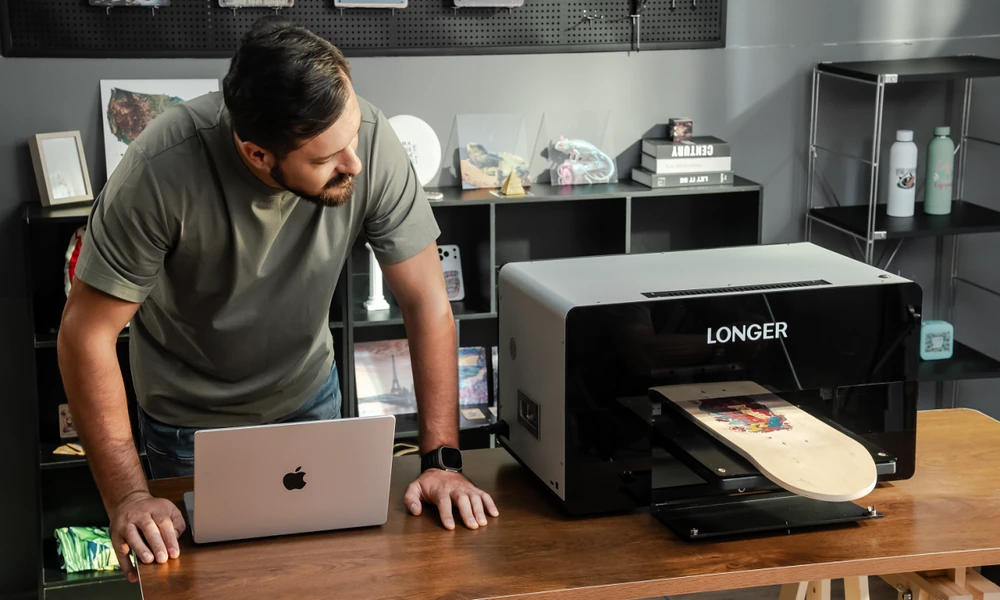
A desktop UV printer can be a practical solution for creators, Etsy sellers, and small businesses that want to produce customized products in-house. However, like any printing equipment, regular maintenance is important for maintaining print quality, protecting the printhead, and keeping production running smoothly.
So, how much maintenance does a Desktop UV Printer actually require?
For most users, daily maintenance is relatively straightforward when the printer is used regularly and the recommended cleaning procedures are followed. The exact maintenance schedule depends on the printer design, ink system, usage frequency, environment, and printing applications.
LONGER ePrint is designed to provide a convenient workflow for creators and small businesses while supporting multiple printing applications, including UV, DTF, DTG and UV DTF. Its maintenance requirements are intended to be manageable for users who want professional UV printing capabilities without operating a large industrial printing system.
Why Does a UV Printer Need Regular Maintenance?
UV printers use specialized UV-curable inks that are cured by UV light during the printing process. The printhead is one of the most important components of the machine and requires proper care to maintain consistent ink flow.
Without regular maintenance, several problems can occur:
• Clogged or partially clogged nozzles
• Poor print quality
• Missing lines or colors
• Uneven ink deposition
• Increased cleaning requirements
• Printhead damage in severe cases
• Longer downtime and higher operating costs
Regular maintenance is therefore not simply an additional task. It is part of protecting the printer and maintaining consistent production quality.
How Often Does a Desktop UV Printer Need Maintenance?
The maintenance frequency depends largely on how often you use the machine. A business running a UV Printing Machine every day may need to perform basic maintenance daily, while a user who prints only occasionally may need additional procedures before and after periods of inactivity.
The exact procedure and frequency should always follow the manufacturer’s instructions for the specific UV printer.
Check the Printer Before Each Production Session
One of the simplest maintenance habits is to inspect the printer before starting a production job.
Check:
• Ink levels
• Ink lines and connections
• Printing platform
• Printhead condition
• Waste ink container or system
• UV curing system
• Material placement
A quick inspection can help identify potential problems before they affect an entire batch of products.
For a UV printer for small business, this is particularly useful because small businesses may not have a dedicated technician monitoring the equipment throughout the day.
Perform Regular Nozzle Checks
The printhead contains numerous tiny nozzles that control the deposition of ink. If some nozzles become blocked, the printed image may show missing lines, inconsistent colors, or other defects. A nozzle check allows users to identify potential problems early.
If the test pattern shows missing or abnormal lines, the appropriate cleaning procedure can be performed before starting an important production job.
This is especially important when using a printer for detailed graphics, fine typography, or 3D textures, where even small printing inconsistencies can affect the final result.
Keep the Printhead Area Clean
Printhead maintenance is one of the most important parts of UV printer care. Ink residue, dust, or other contaminants around the printhead area can affect printing performance. The printhead should therefore be maintained according to the manufacturer’s recommended procedure. Users should avoid touching sensitive printhead components directly or using unsuitable cleaning materials. For a Small UV Printer used in a home studio, keeping the surrounding environment clean can also help reduce the amount of dust entering the printing system.
Clean the Capping Station and Wiper
The capping station and wiper are important components of the printer’s maintenance system. The capping station helps protect and maintain the printhead when the printer is not actively printing. The wiper helps remove residual ink and contaminants during maintenance cycles. If these components become contaminated with dried ink, their effectiveness can be reduced. Regular inspection and cleaning can help maintain reliable printhead performance.
Keep the Printing Platform Clean
The printing platform is another area that should be checked regularly.
Ink overspray, dust, debris, or material residue can accumulate over time. A clean printing surface helps ensure that products sit correctly during printing and reduces the risk of contamination.
This is particularly important for a UV Flatbed Printer because direct-to-object printing requires the substrate to remain properly positioned on the printing platform.
Does a UV DTF Printer Require Different Maintenance?
UV DTF printing uses a transfer-film workflow, so maintenance considerations can differ from direct UV printing. When using a UV DTF Printer, users should pay attention to:
• Printhead condition
• Ink flow
• Film alignment
• Ink curing
• Transfer-film cleanliness
• Adhesive-film handling
• Waste ink management
Although the workflow differs from direct-to-object printing, the printhead and ink system still require appropriate maintenance.
For ePrint users, having UV and UV DTF capabilities in one platform means it is important to follow the recommended maintenance procedures for each printing workflow.
What Environment Is Best for a Desktop UV Printer?
The operating environment can also influence maintenance requirements. A clean, stable workspace can help reduce dust and contamination around the printer.
Ideally, the workspace should:
• Minimize dust and debris
• Provide adequate ventilation according to the manufacturer’s requirements
• Avoid excessive temperature or humidity fluctuations
• Provide sufficient space around the printer
• Keep materials and cleaning supplies organized
For a Desktop UV Printer, maintaining a clean workspace is particularly practical because the machine can often be installed in a dedicated studio or workshop rather than a large industrial production area.
Can Small Businesses Handle UV Printer Maintenance Themselves?
In many cases, routine maintenance can be handled by the machine operator. Basic tasks such as checking ink levels, performing nozzle checks, cleaning accessible components, and keeping the printing area clean do not necessarily require a dedicated technician. However, more complicated issues should be handled according to the manufacturer’s technical support procedures.
For a UV printer for small business, choosing equipment with a clear maintenance workflow and accessible support can be just as important as comparing print speed and resolution.
How Much Time Does UV Printer Maintenance Take?
Routine maintenance generally does not need to take a large amount of time when performed consistently. The exact time depends on the printer, usage frequency, and maintenance task. A quick inspection and nozzle check may take only a few minutes, while deeper cleaning or troubleshooting can take longer.
The key is consistency. Spending a small amount of time on preventive maintenance can help reduce the risk of unexpected downtime and more complicated printhead problems later.
Why Maintenance Matters for UV Printer ROI
Maintenance is also connected to the overall return on investment of a UV Printing Machine. Unexpected downtime can delay orders, increase waste, and potentially result in missed sales. Printhead problems can also be expensive if they require professional service or replacement components.
For a small business, maintaining the printer properly can help:
• Reduce unnecessary downtime
• Minimize printing defects
• Reduce material waste
• Maintain consistent product quality
• Extend the useful life of the equipment
• Keep production schedules more predictable
This is particularly important for businesses using a UV printer to fulfill personalized orders with specific delivery deadlines.
Final Thoughts
So, how much maintenance does a desktop UV printer require?
The answer is generally manageable, but regular maintenance should be treated as part of the normal printing workflow. Basic tasks such as checking ink levels, performing nozzle checks, cleaning the printhead area, and maintaining the capping and wiping components can help keep the printer operating reliably.
For creators and small businesses, LONGER ePrint combines a desktop form factor with UV, UV DTF, DTF, and DTG capabilities, up to 1440 DPI resolution, 10 mm high-gap printing, and up to 15 mm 3D Color Relief.
Whether you are considering a Small UV Printer for a home studio or a more versatile Dual Head UV Printer for a growing business, choosing a machine that fits your workflow is only the first step. Establishing a consistent maintenance routine is equally important for maintaining print quality, reducing downtime, and getting long-term value from your UV printer.
